Token Request
This is STEP 2 of the official qualifier event application process. You should have arrived at this page from a link within an email from op@catanstudio.com. Do not proceed unless you have filled out the application and received an automated email with a link to this page.
In order to list your event on our schedule, you must submit a token request. This also allows your Qualifier winner to earn a seat at the next National Championship held in your country.
If you haven’t yet done so, please create an account with Best Coast Pairings under the email used when submitting your Qualifier Application.
Log into your Best Coast Pairings account below and follow these instructions:
Click here to move to the bottom of this page. Make sure you are logged in to the correct BCP account for the requested event.
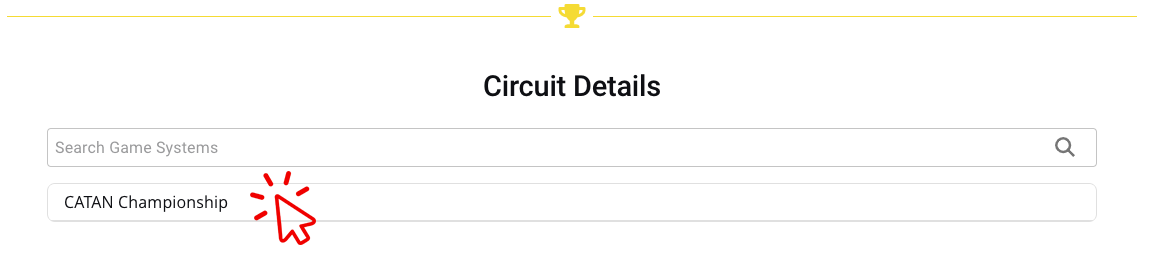
Once logged in, click Continue. You will then see the following screen. Select the CATAN Championship Game System.
Choose the appropriate circuit for your country. Although the form will let you choose more than one, you should only select one country circuit.
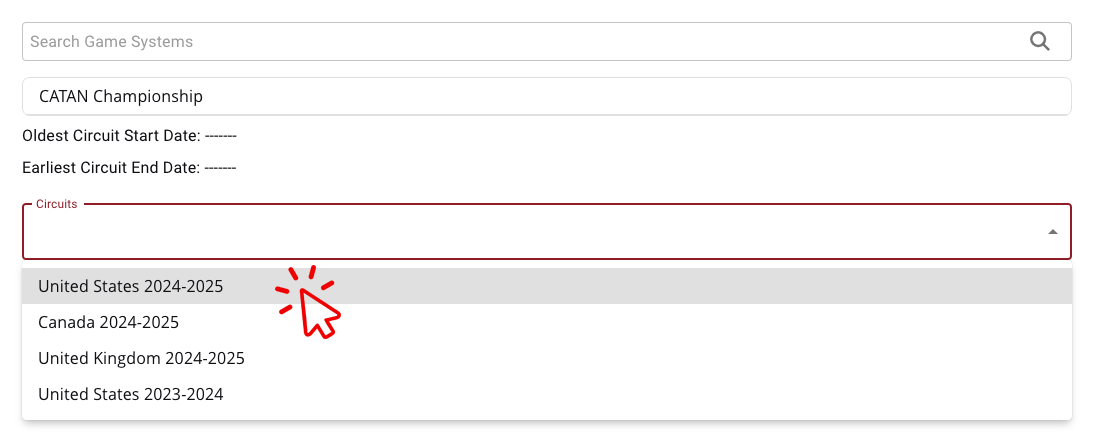
Click NEXT

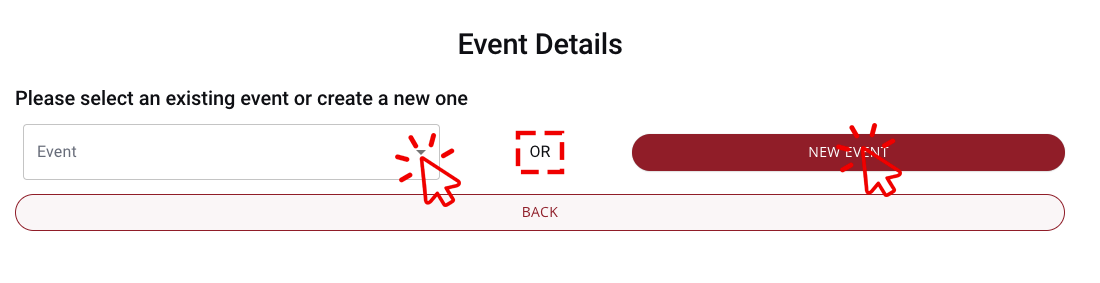
CHOOSE ONE: In most cases you are creating a NEW EVENT so click the red button; however, if you have already created an event in Best Coast Pairings that you need to attach to the circuit, click the dropdown menu and select your existing event.
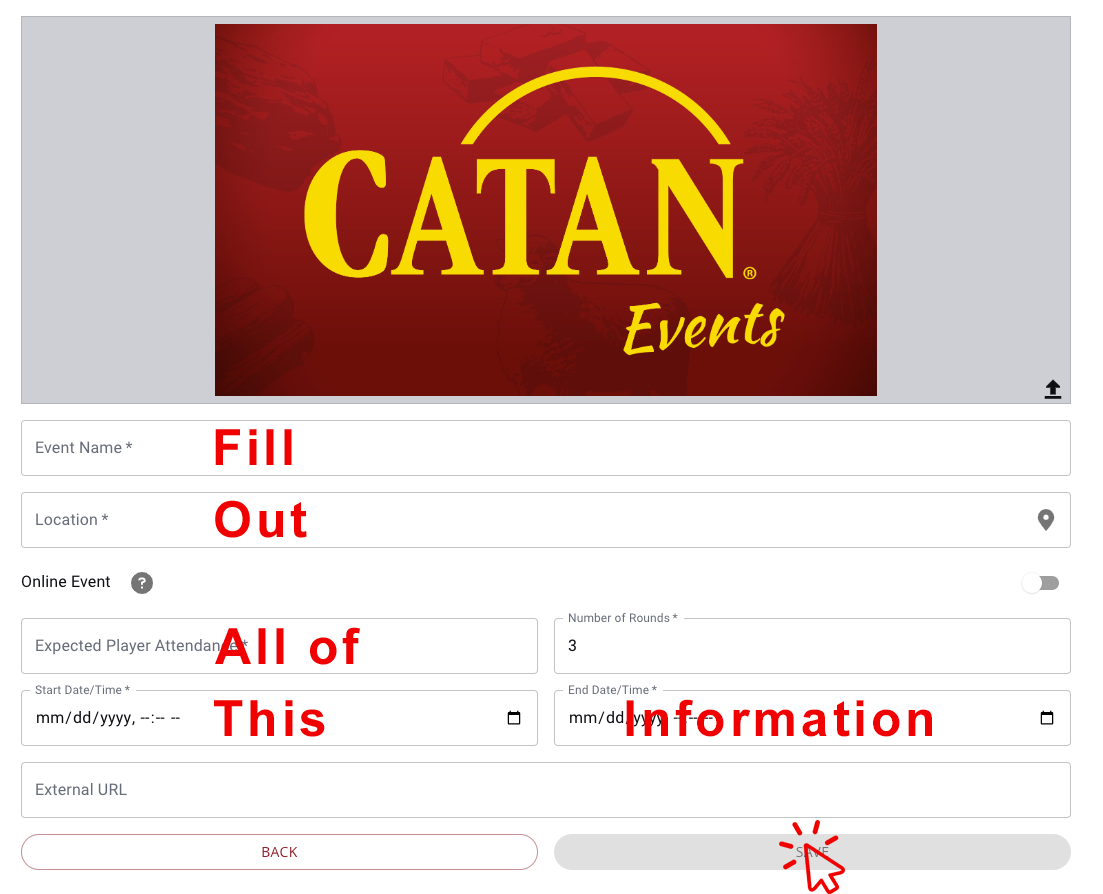
When creating a new event, fill out the form. I know you have already sent me much of this information in the application – please re-enter it here.
IMPORTANT NOTE: Your event name should identify the store, convention, or fan group hosting. “Catan Qualifier” is not specific enough! Please make sure your event name is recognizable in a long list of other events. Ideally, it is the name of your location or convention.
Review event details, confirm you have selected the appropriate country circuit, then click SUBMIT.
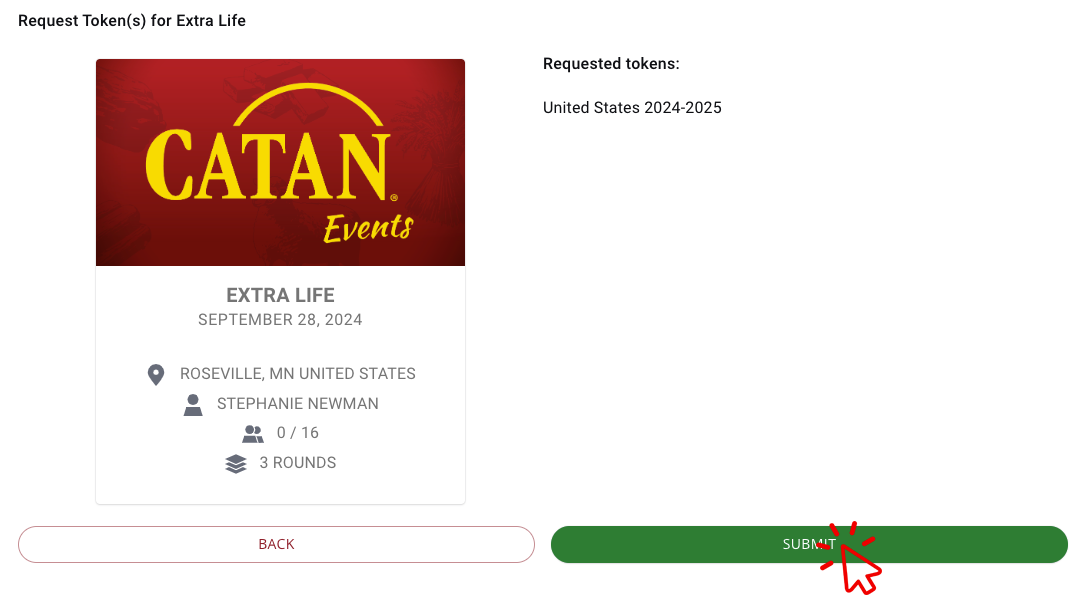
You may now view your event from the “My BCP Events” menu option under Hosts on this website. From there, you will be able to edit your event page to customize the image, links and ticketing details.
Graphics for your events are available here – just add your logo!
Full documentation for how to use Best Coast Pairings is available here, or you may reach out to BCP via Facebook Messenger (@bestcoastpairings) or Discord if you run into trouble!
Click here to return to the instructions above.